Skip to content

The whole gym, run from the front desk.

Check-ins, fees, dues and reminders for gyms in Nepal. Use the computer at your desk, or add our scanner and door lock.

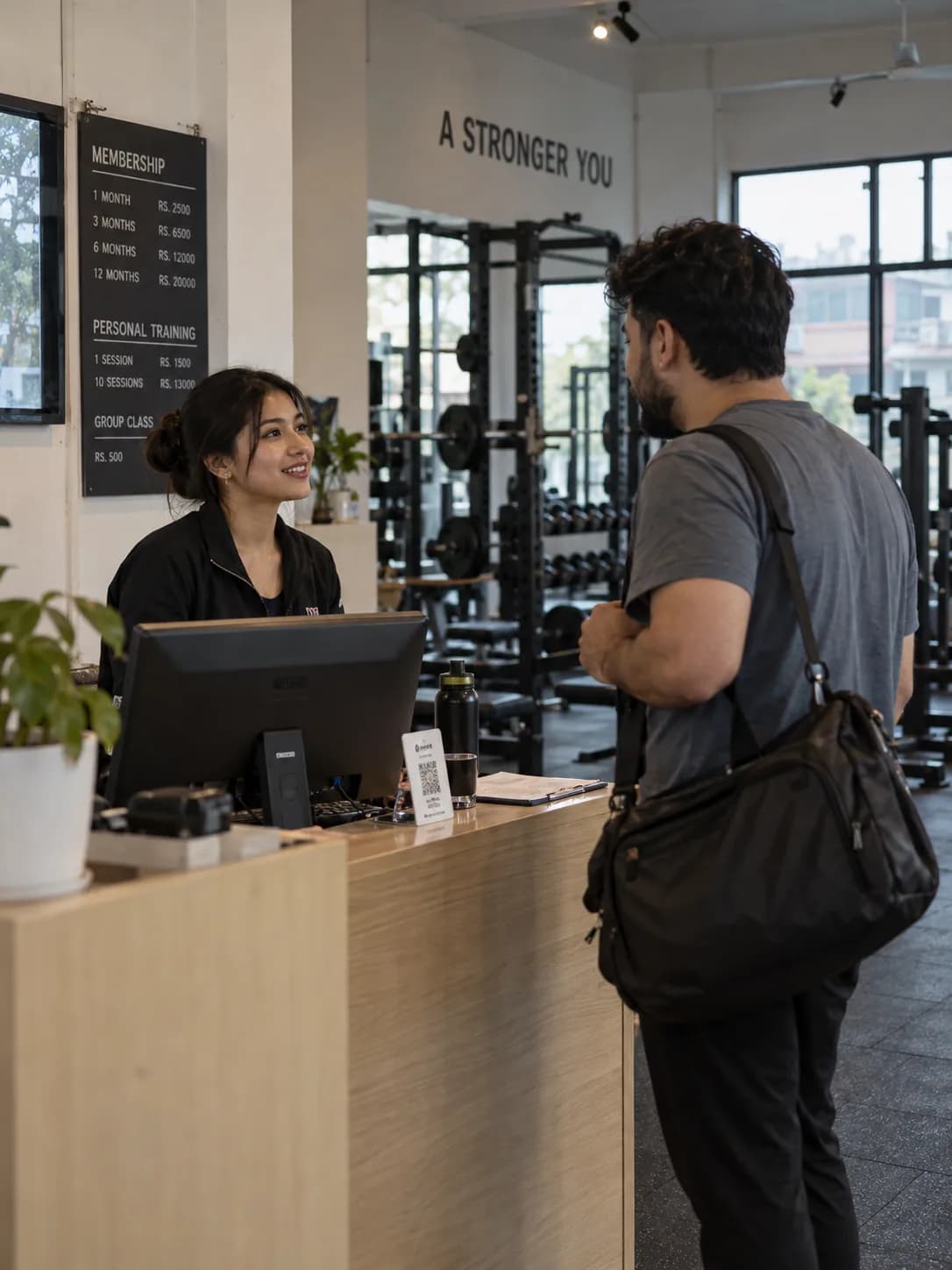
A receptionist greets an early member at the front desk
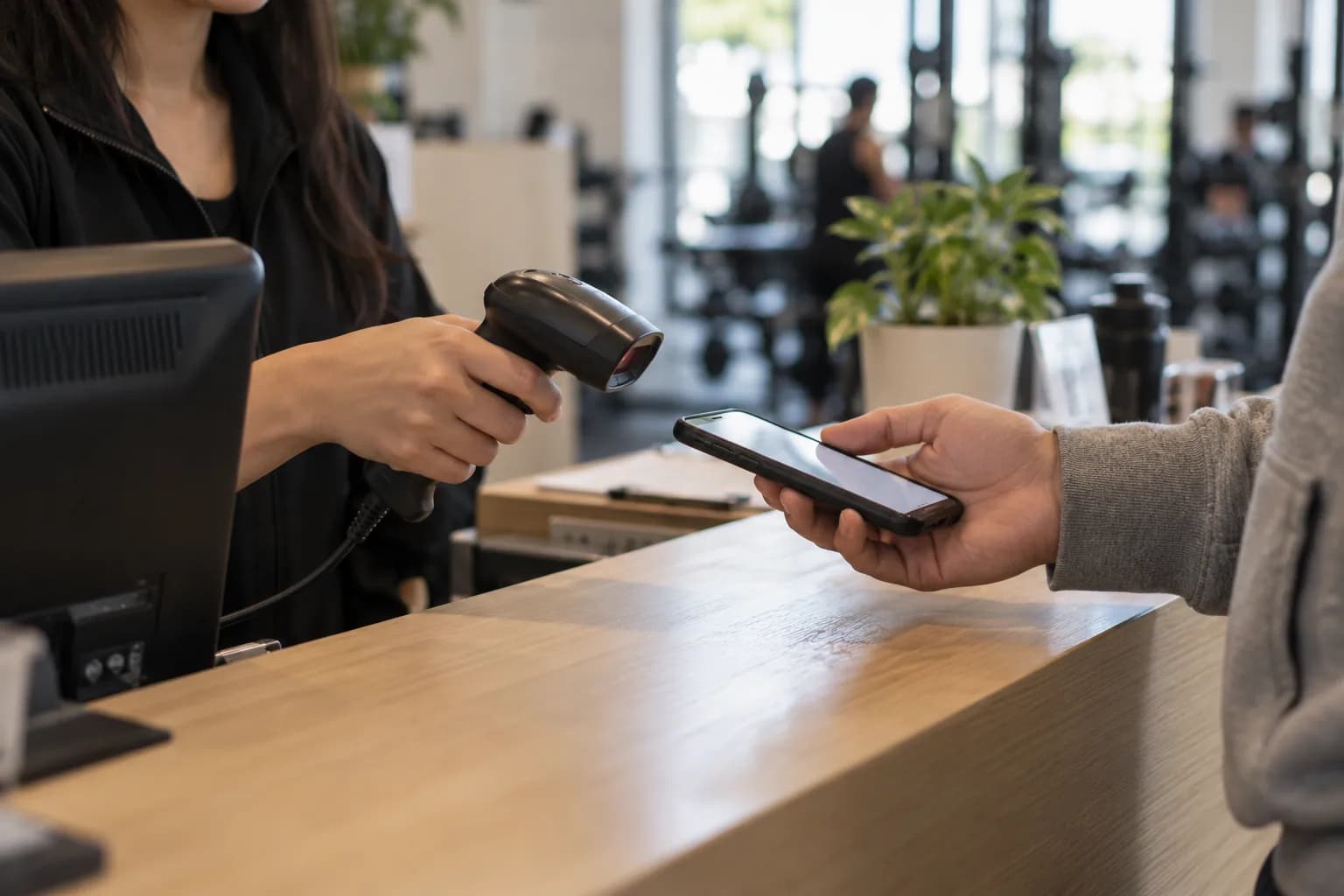
A member holds up the pass on their phone
A trainer coaches a member through a lift
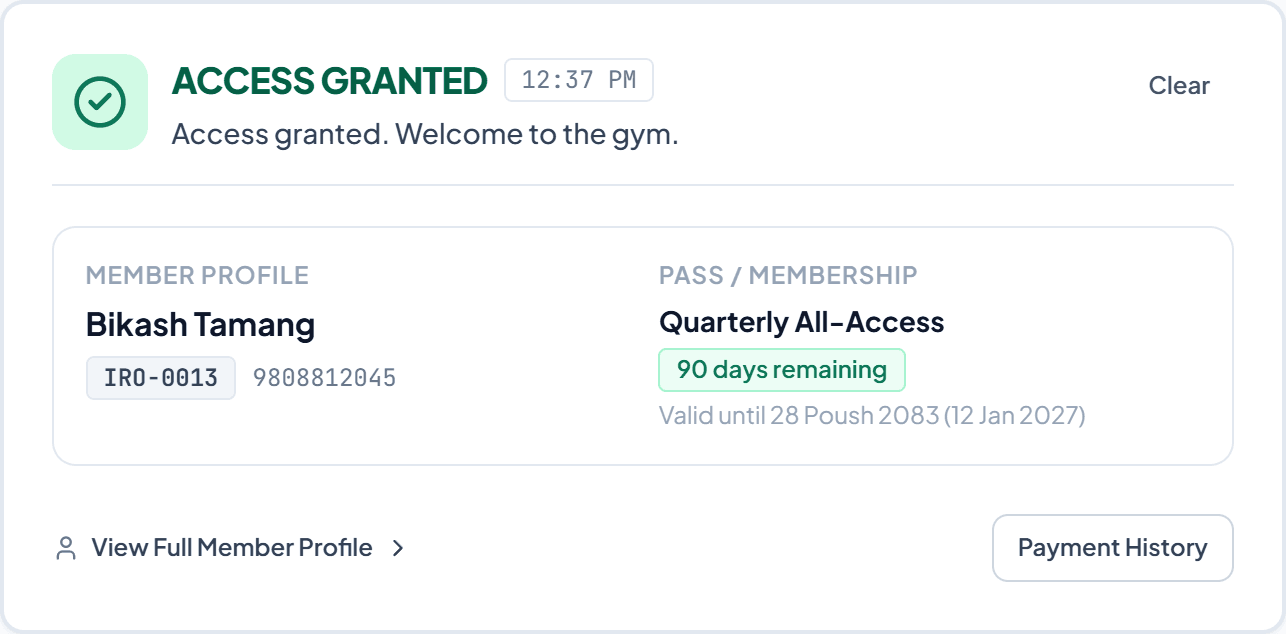
Check-in desk showing "Access granted" for a member with 90 days left on a quarterly plan

One day at the front desk.

06:02 Doors open

Members scan in. Expired passes don't get through.

Scan the member's QR pass, or type their code or phone number. The desk tells your staff what to do in one glance.

A member holds up the QR pass on their phone to a handheld scanner at the counter
  • Access granted
  • Expires in 3 days
  • Membership expired
  • Membership frozen

11:40 Fees at the counter

Take part payments. Never lose track of the rest.

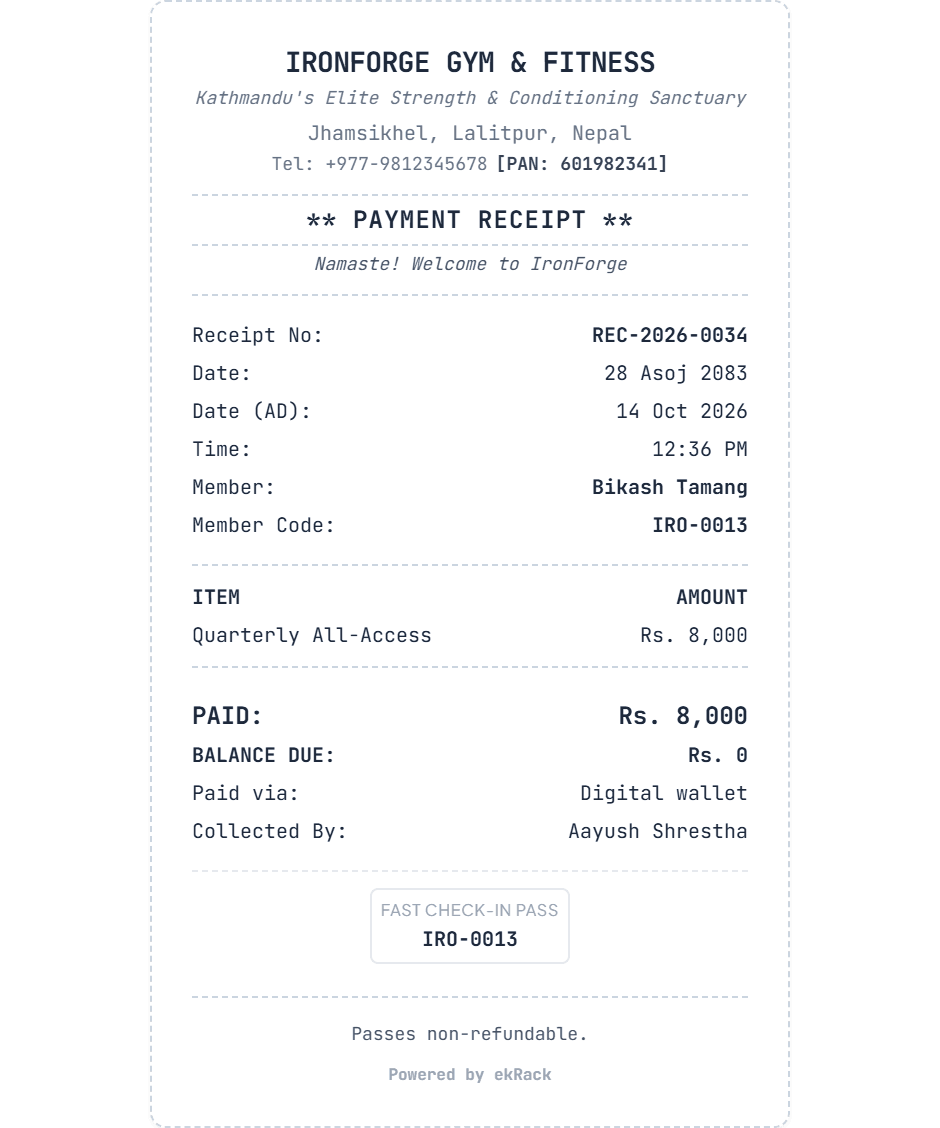
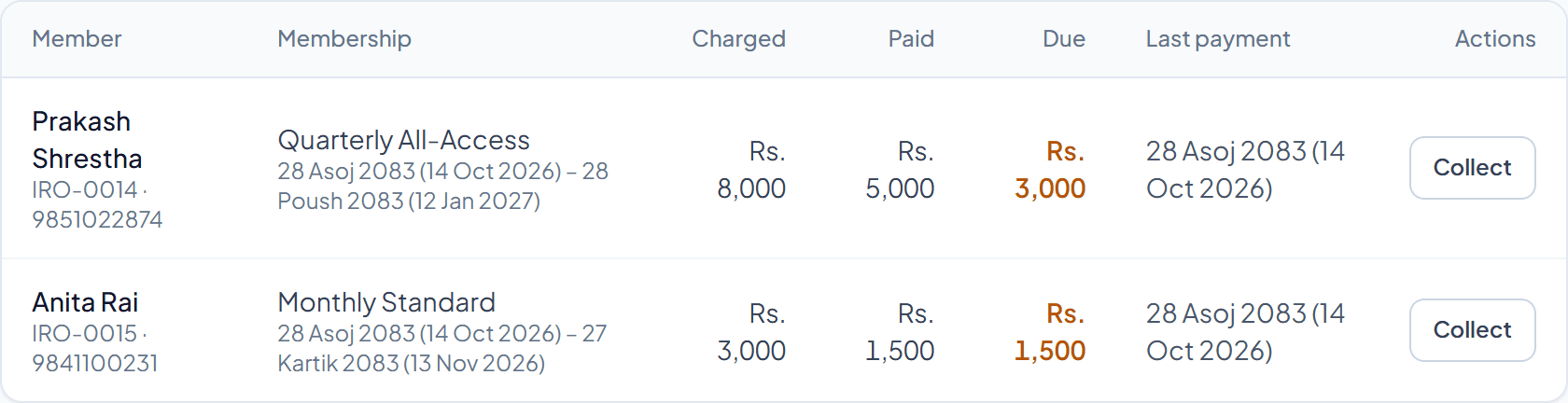
Record cash, eSewa, Khalti, Fonepay, bank or card. The receipt prints with the Nepali date, and whatever is left shows up as due.

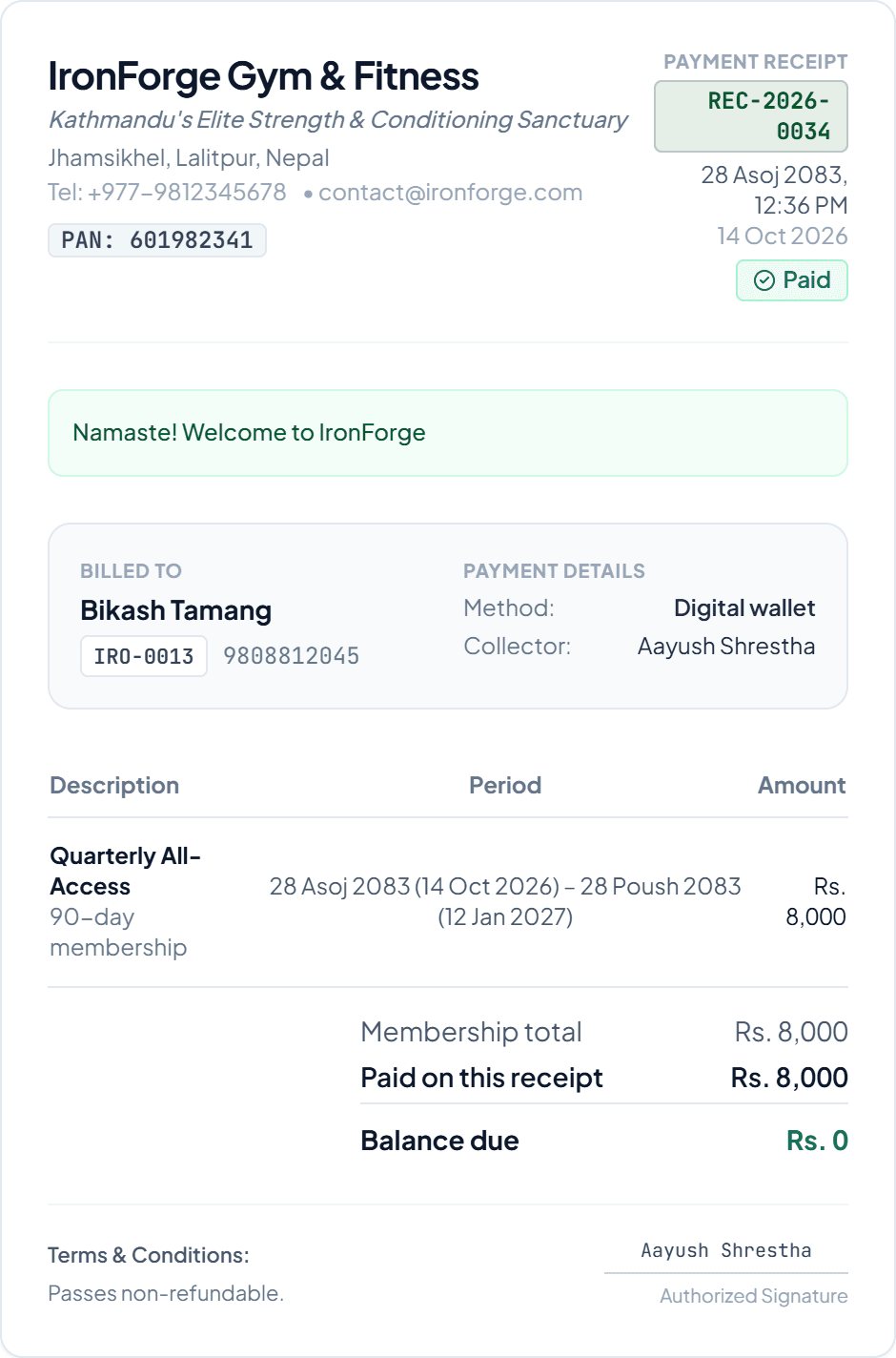
Thermal receipt slip: Rs. 8,000 paid, balance due Rs. 0, dated 28 Asoj 2083
Dues list showing two members who have paid part of their fee and what each still owes

18:15 Before the evening rush

Renewal reminders go out on their own.

Before a membership ends, the member hears from your gym by SMS, WhatsApp or email. Nobody at the desk has to remember.

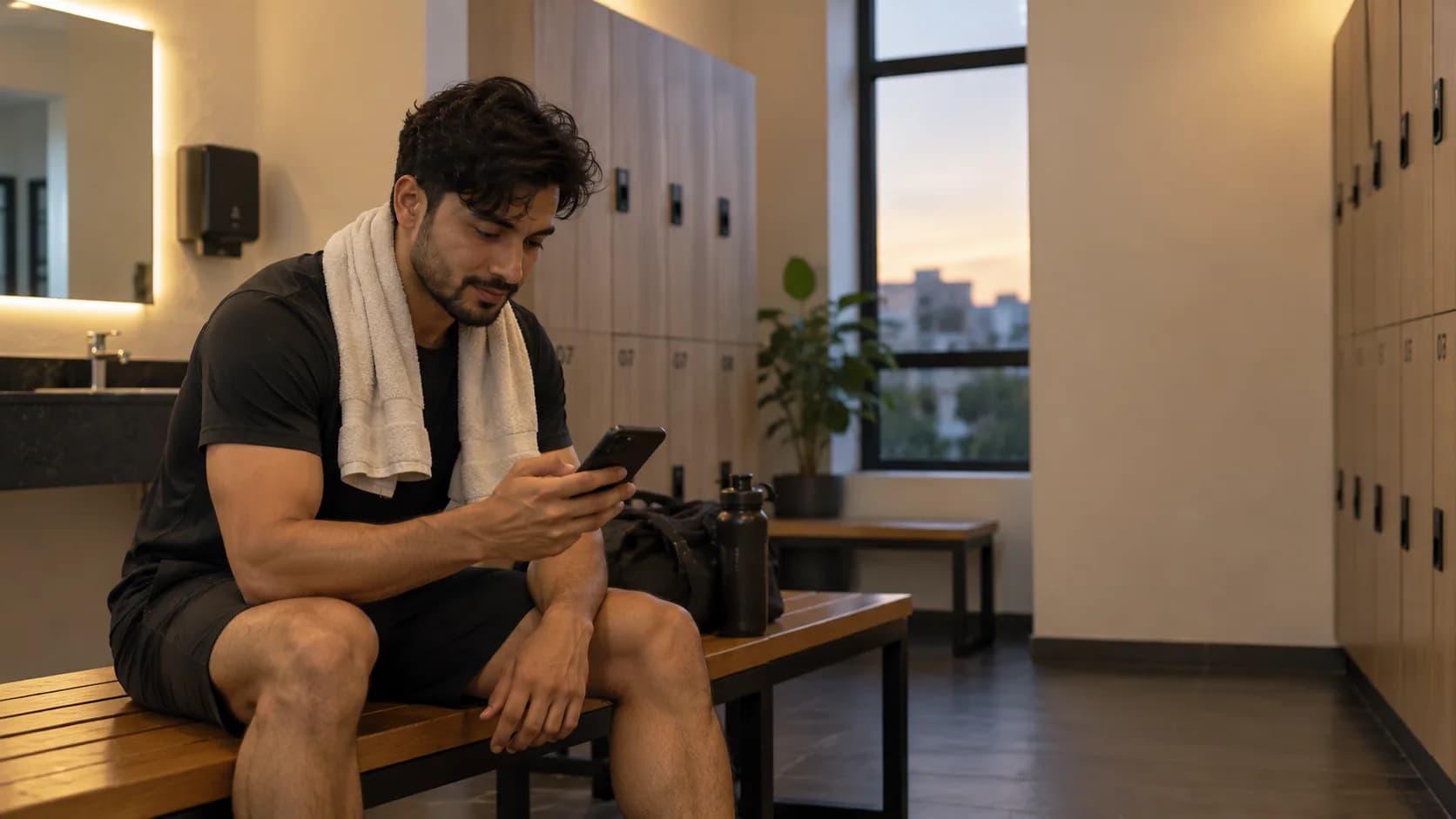
A member reads a message from their gym on their phone after a workout

SMSWhatsAppEmail

20:45 Closing up

Close up knowing where every rupee went.

Today's collection, who owes what and who came in, on your phone. Staff only see what their role allows.

A gym owner checks the day's numbers on their phone at the front desk
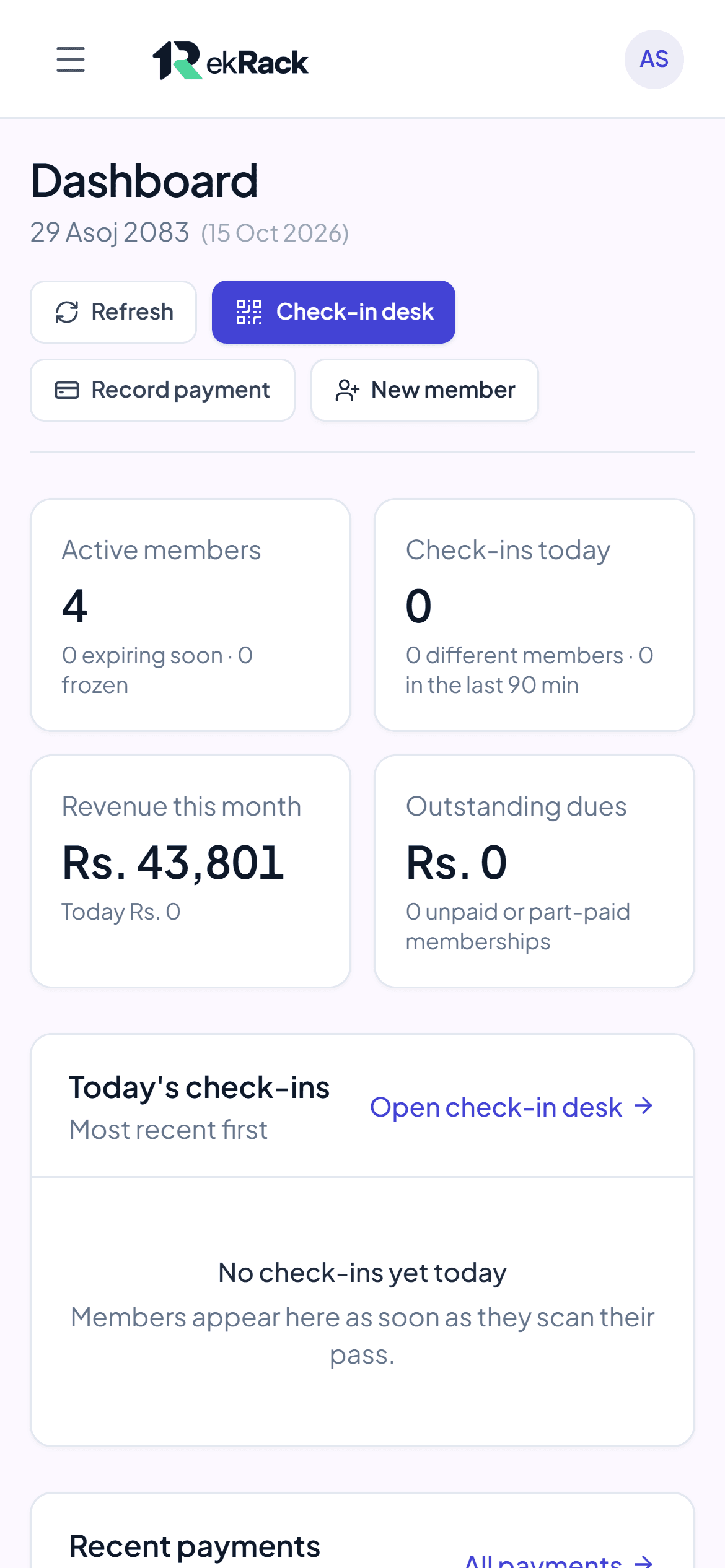
Owner's dashboard on a phone: active members, today's check-ins, revenue this month and outstanding dues

Everyone at the gym, on one system.

1Owner

See the whole gym from anywhere.

Today's collection, who owes what and who came in, on your phone. You decide what each person on your team can see.

Owner's dashboard: active members, today's check-ins, revenue and dues

2Front desk

Check members in and take fees at the counter.

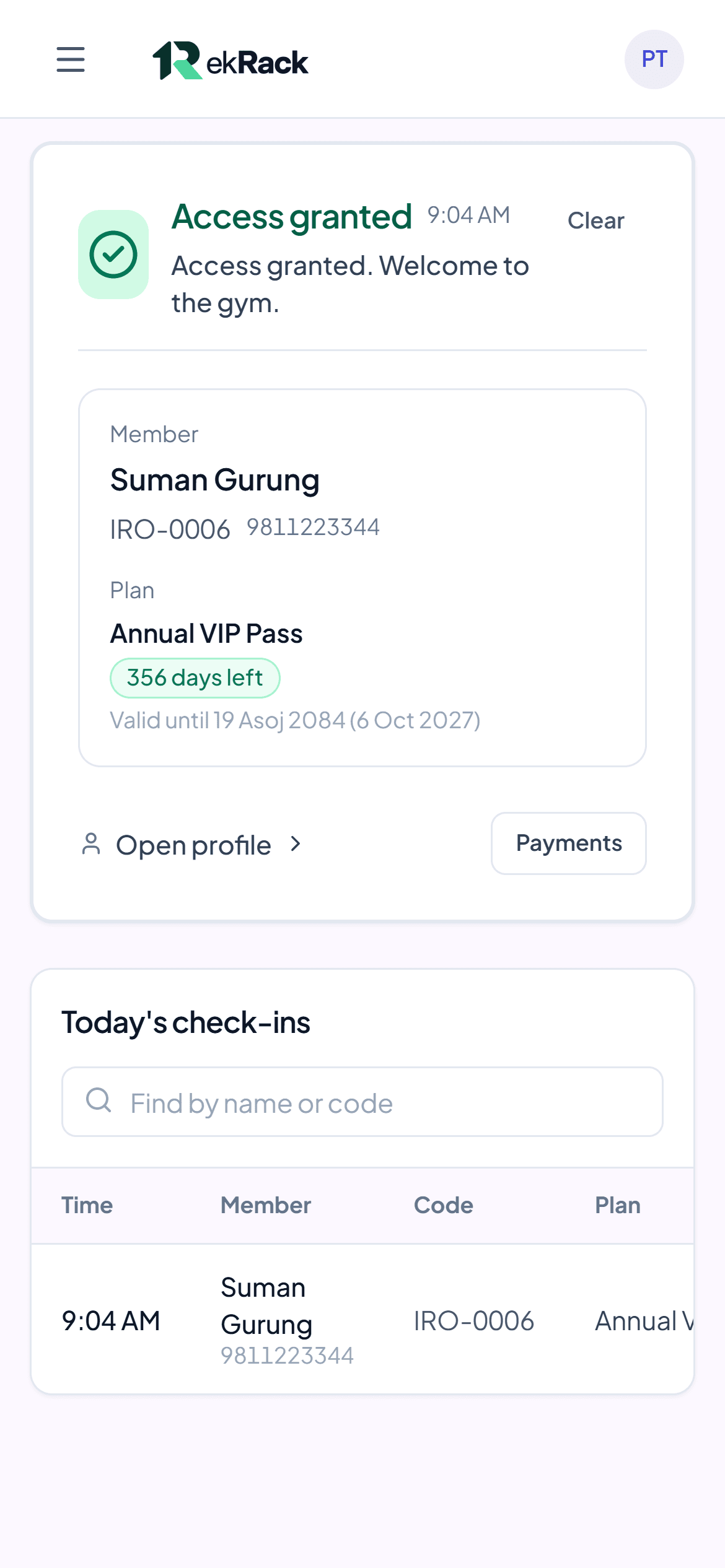
Scan a pass or type a phone number, record cash, eSewa or Khalti, and print the receipt. Revenue totals stay with the owner.

Check-in desk on a phone showing "Access granted" with the member's plan and days remaining

3Trainer

Know who's in and what plan they're on.

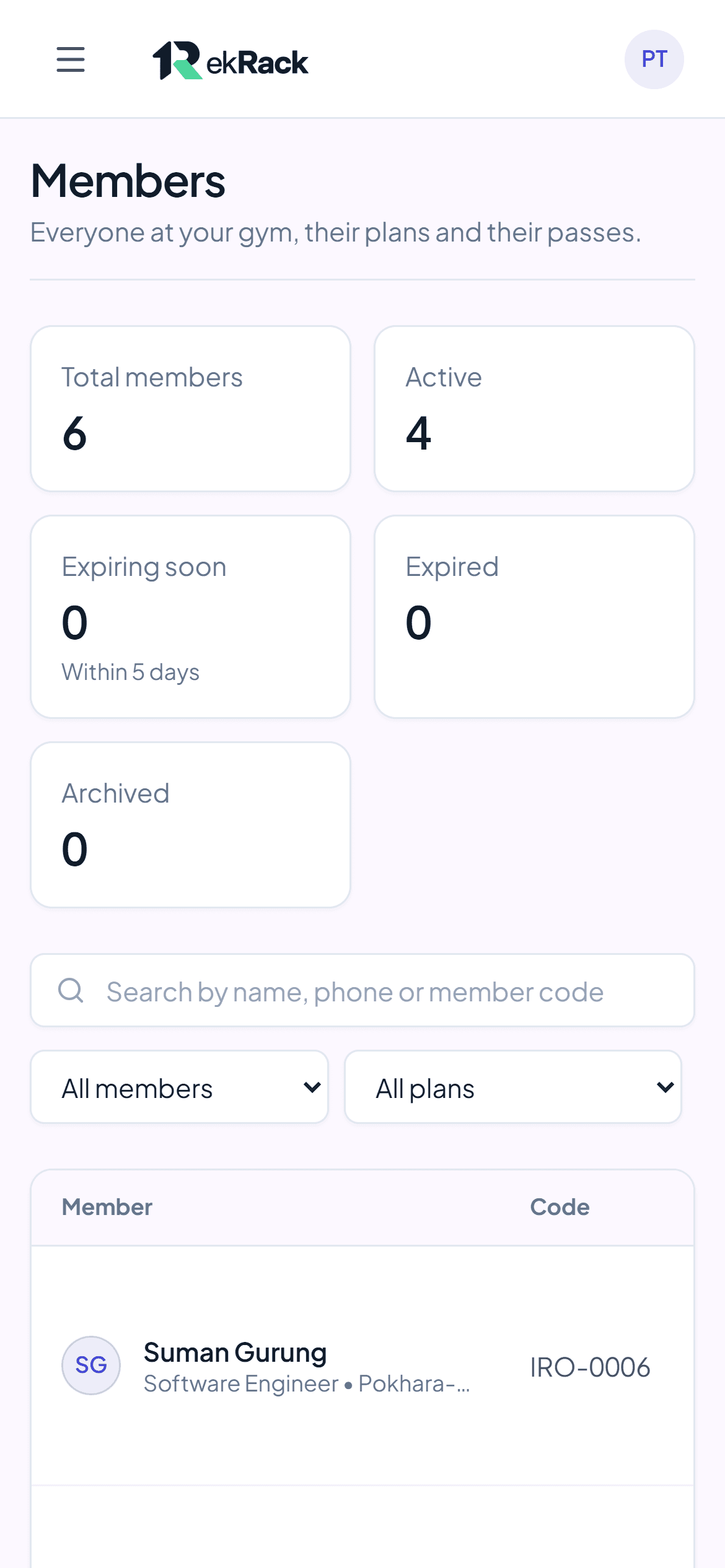
Trainers see members, their plans and today's check-ins, and can check members in. Payments stay with the front desk.

Members list on a phone with active, expiring and expired counts

4Member

Their pass, plan and receipts on their phone.

Members show their QR pass at the door, see exactly when their plan ends, and keep every receipt.

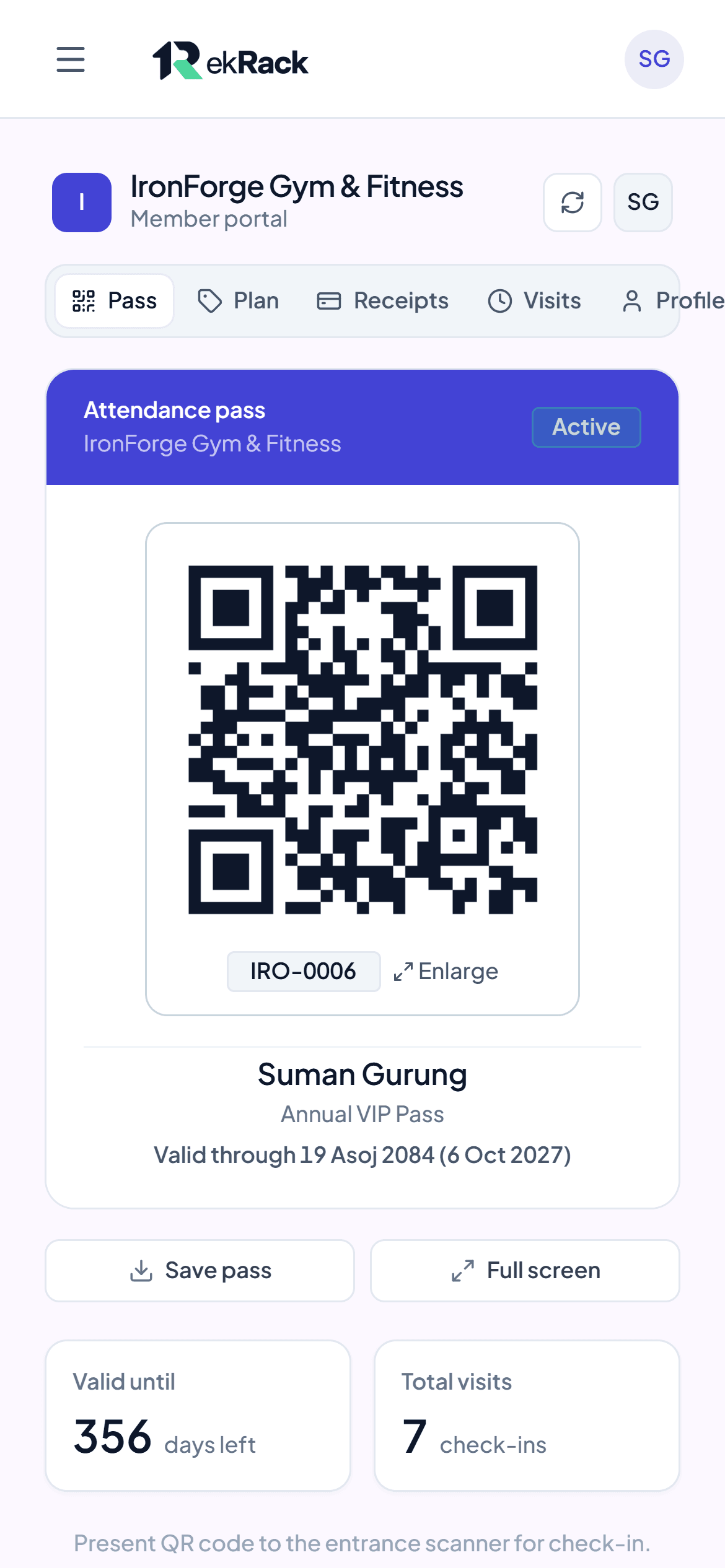
A member's QR pass on a phone, valid through 19 Asoj 2084

Made for gyms in Nepal.

२३ असोज २०८३

23 Asoj 2083 (9 Oct 2026)

  • Every date in Bikram Sambat, with the English date beside it.
  • Rupees written the way you write them: Rs. 1,25,000.
  • Cash, eSewa, Khalti, Fonepay, bank or card, recorded on every receipt.
Payment receipt with the date in Bikram Sambat and the English date beside it

Start on the computer you have. Add hardware when you're ready.

ekRack works in the browser on any desk computer, tablet or phone. When the counter gets busy, add our scanner and door lock.

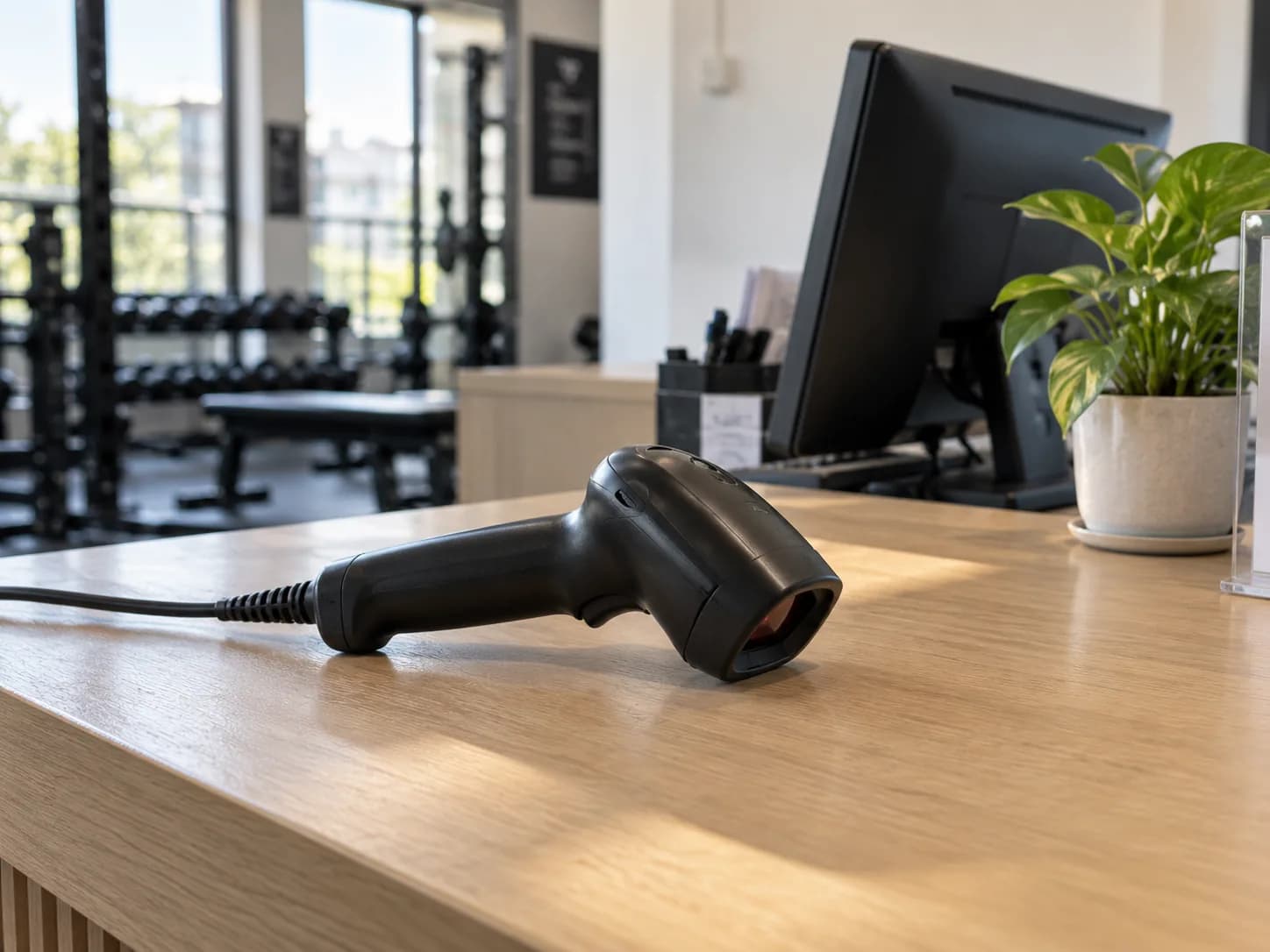
A handheld QR scanner on a gym's front desk
Handheld QR scannerMembers hold up their pass and walk in. No typing at the counter.
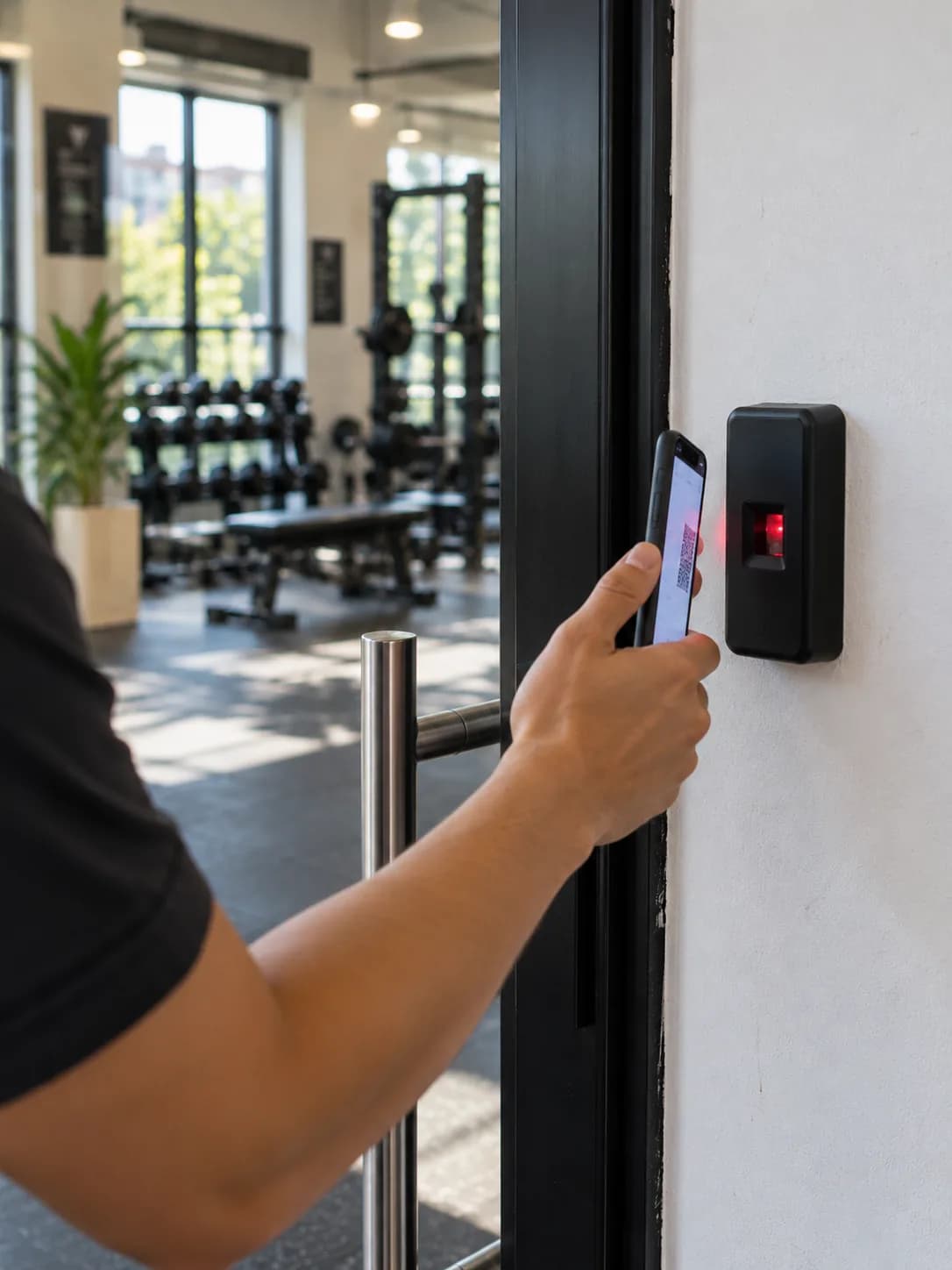
A door access reader beside a gym's glass entrance
Door access lockThe door only opens for members with an active plan.

We do the setup.

  1. Create your gym’s workspace

    Your gym gets its own address, like yourgym.ekrack.fulkcrum.com, for staff and members.

  2. We move your members

    Send us your register or Excel sheet. We set up your members and plans for you.

  3. Start checking members in

    Invite your staff. Each person gets a role that shows them only what they need.

One plan. Pay monthly, quarterly or yearly.

Every plan includes everything. Try it free for 14 days first.

Every plan includes

  • Members, plans, renewals and freezes
  • Payments, receipts and dues
  • Check-in desk and member app
  • Staff accounts with roles
  • Setup and moving your members

Questions owners ask us.

Do I need to buy any hardware?

No. A computer, tablet or phone at the front desk is enough. You can add our handheld scanner or door lock at any time.

We use a paper register or Excel. Can you move our members?

Yes. Send us what you have and we set up your members and plans for you. Setup is included in every plan.

Can my receptionist see how much the gym earns?

No. Each staff member has a role. Front-desk staff record payments, but revenue totals are only for owners and managers.

Does it use Nepali dates?

Yes. Dates show in Bikram Sambat, with the English date when you hover over one and on every receipt. You can switch to English dates only in settings.

Can other gyms see our data?

No. Every gym has its own address and its own sign-in, and staff and members only ever see their own gym.

What happens after the 14-day trial?

Choose monthly, quarterly or yearly billing to keep going. Your members, payments and receipts stay in your workspace.

  • Free for 14 days
  • Setup/Data Migration Support

अब तपाईको Gym मा 14 दिन सित्तैमा !

Setting up takes one form. Send us your register or Excel sheet and we move your members for you.

Rather talk to someone?+977 986-9118472